Orders that are easy to follow
Give the kitchen a clear ticket with dishes, quantities and preparation notes.

Send restaurant orders from the POS to the kitchen. Track new, cooking and ready tickets with OrdrCiti kitchen display and KOT software.
Setup, staff training and 24×7 support included.
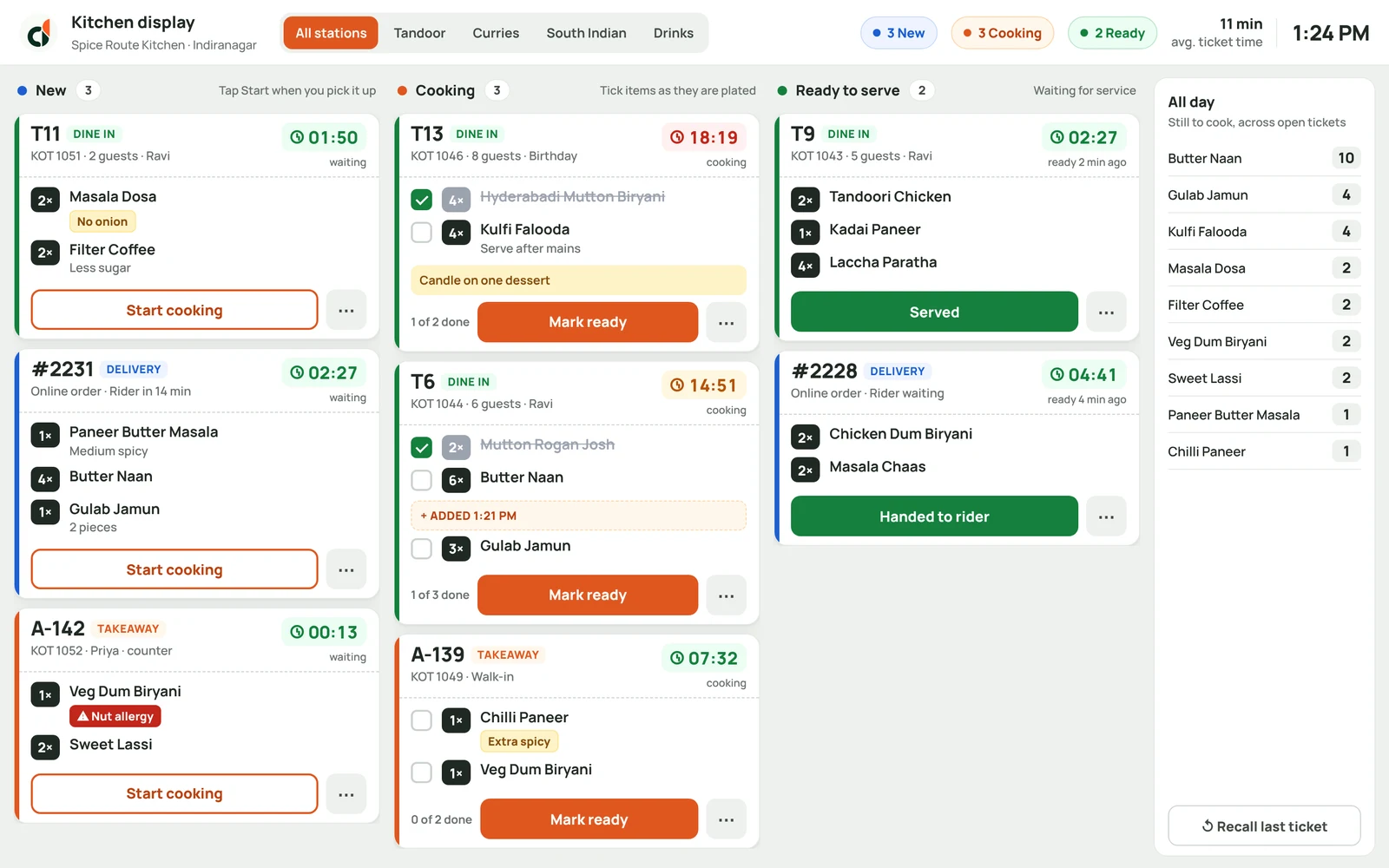
Give the kitchen a clear ticket with dishes, quantities and preparation notes.
See new, cooking and ready orders together so the team knows what needs attention next.
Carry the order into preparation without asking staff to re-enter it in another tool.
One connected workflow for the people running your restaurant.
Capture dishes and preparation notes in the restaurant POS.
The kitchen works through the ticket and updates its progress.
Keep the team informed when dishes are ready for service.
A kitchen display system shows incoming food orders on a screen, with their preparation status. A KOT is the kitchen order ticket your team uses to prepare that order.
Yes. Kitchen tickets are part of the OrdrCiti order workflow, connecting the counter and preparation team.
OrdrCiti supports KOT workflows. We’ll confirm the printer, kitchen stations and display setup for your restaurant during the demo.
Restaurant billing software for dine-in, takeaway and delivery. Manage GST invoices, offline billing, tables and kitchen order tickets from one POS.
Explore productGive customers a direct route to your menu, with branded ordering for collection and delivery. Set your opening times and service areas from one place.
Explore productTrack restaurant ingredients, connect recipes to menu sales, record wastage and manage stock counts with OrdrCiti inventory software.
Explore productA personal walkthrough. Your questions, answered.